

🖱️ Logitech MX Master 4 vs 3S: Is the Upgrade Worth It in 2026?

Updated: 19 hours ago
If you're comparing the Logitech MX Master 4 vs 3S, here's the answer: the 4 is the better new buy when prices are close, while the 3S is still the smarter value on sale. I've owned and used every MX Master generation from the 2S through the 4, and the 3S is still the mouse on my desk even after trying the newer model.

Quick rule: if the MX Master 4 is within about $25 of the 3S, buy the 4. If the 3S is $30 or more cheaper, save the money. Already own a working 3S? Keep it.
This article is the focused two-mouse decision. If you are also considering older generations, see my full MX Master 4 vs 3S vs 3 vs 2S comparison.
As an Amazon Associate, AlboApproved may earn from qualifying purchases at no extra cost to you.
⚡ Quick Verdict: MX Master 4 vs 3S
Best for most new buyers: MX Master 4 when the price gap is small. You get the newest hardware, Haptic Sense Panel, Actions Ring, stronger wireless design, and a USB-C Logi Bolt receiver.
Best value: MX Master 3S when it is meaningfully cheaper. The core mouse experience is still excellent: the same 8,000-DPI class of tracking, quiet clicks, MagSpeed scrolling, multi-device support, and up-to-70-day battery claim.
Already own a 3S: do not upgrade just because the 4 exists. The new features are useful, but this is refinement—not a night-and-day jump.
📊 MX Master 4 vs 3S Comparison
Feature | MX Master 4 | MX Master 3S |
Sensor | Darkfield, up to 8,000 DPI | Darkfield, up to 8,000 DPI |
Main scroll | MagSpeed electromagnetic | MagSpeed electromagnetic |
Clicks | Quiet Clicks | Quiet Clicks |
New controls | Haptic Sense Panel + Actions Ring | Traditional gesture button |
Receiver | USB-C Logi Bolt | Logi Bolt USB receiver |
Battery claim | Up to 70 days | Up to 70 days |
Weight | About 150 g | About 141 g |
Best for | New buyers / power users | Value buyers / current happy owners |
🔍 MX Master 4 vs 3S: What Actually Changed?
The biggest mistake in this comparison is assuming the MX Master 4 must be dramatically better because it is newer. Logitech kept the foundation that made the 3S so good and added a few features aimed at shortcuts, feedback, connectivity, and durability.
Both mice still use high-precision Darkfield tracking up to 8,000 DPI, both keep the excellent MagSpeed wheel, both have quiet primary clicks, and both can switch between multiple devices. If your job is mostly email, spreadsheets, browser tabs, PowerPoint, and Teams, the basic pointing-and-scrolling experience is much closer than the model numbers suggest.
1. Haptic Sense Panel and Actions Ring
This is the feature that actually separates the MX Master 4. The Haptic Sense Panel can give tactile feedback for supported actions, while the Actions Ring puts configurable shortcuts around your cursor through Logi Options+. It can be useful if you live in Excel, Photoshop, video editors, or other apps where you repeat the same commands all day.
But it only matters if you configure it and build it into your routine. If you never customize mouse buttons now, the Actions Ring is not going to magically transform your workflow.
2. Better connectivity and a USB-C receiver
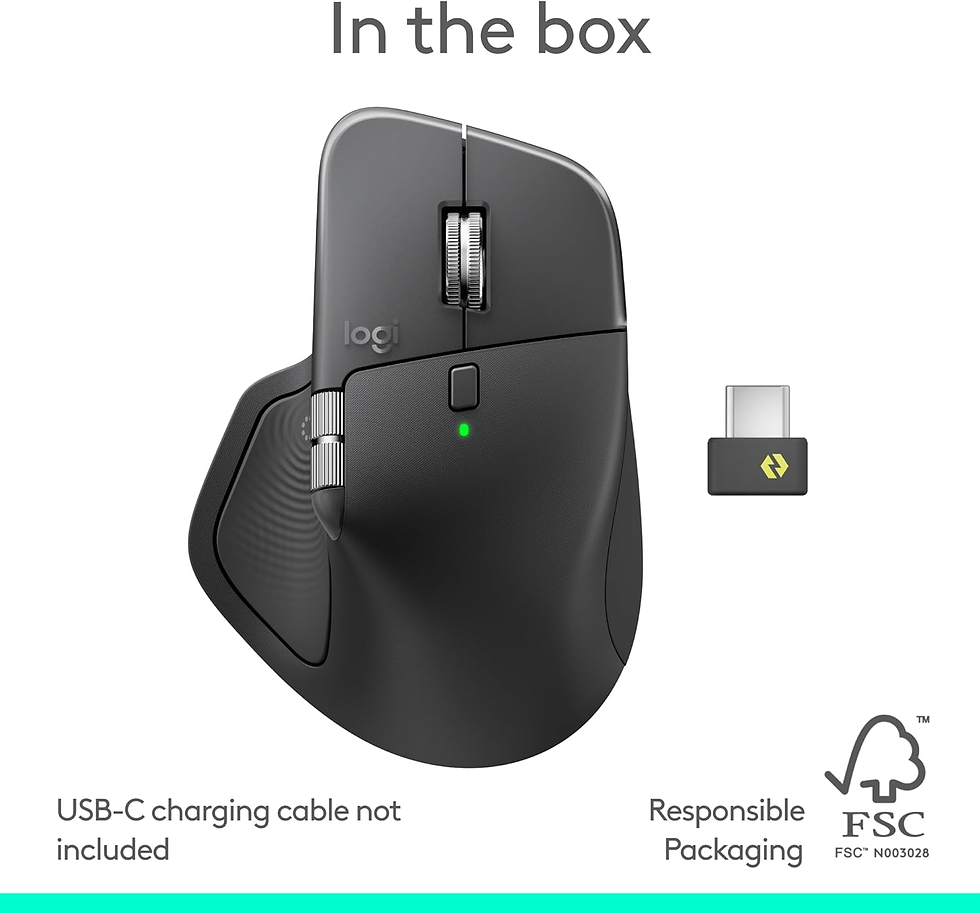
Logitech says the MX Master 4 has twice the connectivity strength of previous models thanks to a revised antenna and wireless design. It also ships with a USB-C Logi Bolt receiver, which is a much better fit for modern laptops than carrying an adapter for an older USB-A dongle.
3. Refined materials and shape
The 4 is not a total ergonomic redesign. The silhouette is still unmistakably MX Master, but the body has been refined and Logitech emphasizes improved stain resistance and durability. The trade-off is weight: the 4 is roughly 150 grams versus about 141 grams for the 3S.
🚀 Where the MX Master 4 Is Better
Haptic feedback adds useful confirmation for supported actions and shortcuts.
Actions Ring can reduce repetitive menu hunting once you customize it.
USB-C Logi Bolt receiver makes more sense for current laptops.
Revised wireless hardware is designed for a stronger connection.
It is the current flagship, so it is the safer long-term buy when prices are close.
For a first-time MX Master buyer, those improvements are enough that I would choose the 4 when it costs only a little more. You are buying a mouse you may use for years, and saving $15 or $20 is not worth starting one generation behind if the rest of the experience fits you.
💰 Where the MX Master 3S Is Still the Better Value

The MX Master 3S did not suddenly become a bad mouse when the 4 launched. It remains quiet, precise, comfortable, and exceptionally good for long workdays. More importantly, Logitech did not double the sensor resolution or radically change the scroll wheel or battery life on the new model.
That makes price the deciding factor. If the 3S drops $30, $40, or more below the MX Master 4, I would take the savings. You are giving up the haptics, Actions Ring, newer receiver, and some design refinements—not the core reason people buy an MX Master.
If you are building a full desk setup, my best keyboard and mouse combinations guide shows where the MX Master fits with the keyboards I actually recommend.
🔄 Should MX Master 3S Owners Upgrade?
For most people: no. If your 3S works properly, it already gives you the best parts of the MX Master formula. The sensor, quiet clicks, MagSpeed wheel, multi-device workflow, and battery life are still competitive.
I would upgrade from a 3S only if at least one of these is true: your current mouse is worn out, you specifically want the Haptic Sense Panel and Actions Ring, the USB-C receiver solves a real problem for your setup, or you simply value having the newest flagship enough to pay for it.
That is different from upgrading from a 2S or 3, where the accumulated improvements are much easier to feel. The 3S-to-4 move is a luxury upgrade, not a necessary one.
✅ Who Should Buy the MX Master 4?
You are buying your first premium productivity mouse.
The MX Master 4 is within roughly $25 of the 3S.
You use shortcut-heavy apps and will actually customize the Actions Ring.
You want a USB-C receiver for a modern laptop setup.
You keep mice for several years and prefer buying the newest generation once.
👍 Who Should Buy the MX Master 3S?
You find the 3S at least $30 cheaper than the 4.
You care more about proven comfort and quiet clicks than new shortcut features.
You already own a 3S and it still works well.
You do not expect to use haptics or the Actions Ring.
You want the strongest value-per-dollar option in the MX lineup.
⚠️ Honest Downsides to Know
MX Master 4 downsides
It is heavier, it costs more, and its headline features require software and customization to deliver their full value. If you never use the Actions Ring, a lot of what you are paying for becomes nice-to-have rather than essential.
MX Master 3S downsides
It is the older design, its included receiver is less convenient for USB-C-only laptops, and you miss the 4's haptic controls and newer wireless hardware. Buying it at nearly the same price as the 4 does not make much sense.
❓ MX Master 4 vs 3S FAQ
Is the MX Master 4 worth it over the 3S?
Yes for a new buyer when the price difference is small. The 4 adds haptics, Actions Ring, stronger wireless hardware, a USB-C receiver, and newer materials. If the 3S is heavily discounted, the value shifts back to the 3S.
Is the MX Master 3S still worth buying in 2026?
Absolutely. It still has an 8,000-DPI Darkfield sensor, quiet clicks, MagSpeed scrolling, multi-device support, and strong battery life. Its biggest advantage in 2026 is price.
Should I upgrade from MX Master 3S to MX Master 4?
Usually not. Upgrade if your 3S is wearing out or you specifically want the Haptic Sense Panel, Actions Ring, USB-C receiver, or newest hardware. Otherwise, keep the 3S.
Do the MX Master 4 and 3S use the same sensor resolution?
Both support Darkfield tracking up to 8,000 DPI, so sensor resolution is not the reason to choose the 4. The meaningful differences are controls, haptics, connectivity, materials, and price.
Which is better for office work, MX Master 4 or 3S?
Both are excellent. The 3S covers the core office workflow for less, while the 4 makes more sense for power users who will customize shortcuts or want the newest connectivity setup.
🏁 Final Verdict: MX Master 4 vs 3S
For the MX Master 4 vs 3S decision, if I were buying today and the MX Master 4 was within about $25 of the 3S, I would buy the MX Master 4. The extra cost is small enough to justify getting the newest model, better connectivity, and the added controls.
If the MX Master 3S is $30 or more cheaper, buy the 3S and do not overthink it. It is still one of the best productivity mice you can put on a desk. And if you already own a working 3S, keep it until you have a real reason to replace it.
For more desk upgrades that are actually worth the money, see my work-from-home gear guide, then browse AlboApproved Essentials for the short list of gear that actually earned a spot.
Buy better once. Don’t buy cheap twice.


Comments