

🖱️ Logitech MX Master 4 vs 3S vs 3 vs 2S: Which Productivity Mouse Should You Buy?

Updated: 1 day ago

Disclosure: This post contains affiliate links. As an Amazon Associate, I earn from qualifying purchases.
⭐ At a Glance
Comparing the MX Master 2S, 3, 3S and 4? I have used every generation in this guide. Start with what you already own: keep a mouse that still meets your needs, choose the 3S when the discount is meaningful, or choose the 4 when their prices are close.
🥇 Best value when discounted: Logitech MX Master 3S.
👑 My pick when prices are close: Logitech MX Master 4.
💰 Best Budget Buy: Logitech MX Master 2S, if you can find one under $60
⚠️ Skip: Logitech MX Master 3 unless it is significantly cheaper than the 3S
Already own the MX Master 3S? Keep it. The MX Master 4 is better, but not enough better for most people to justify upgrading.
👋 Intro: Why Everyone Ends Up Here
If you’ve spent any time researching the Logitech MX Master lineup, you’ve probably noticed the same problem I did: there are now four different versions available, and depending on the sale, prices can range anywhere from $60 to over $140.
I’ve owned and used every generation—from the MX Master 2S to the MX Master 4—while managing IT programs, writing for AlboApproved, editing photos, and spending countless hours in Outlook, Excel, Teams, SQL, and Power BI.
The good news? There isn’t a bad MX Master.
The better news? One model clearly offers the best value.
🧩 My buying rule: choose the MX Master 4 when its price is close to the 3S. Choose the 3S when the savings are meaningful. Already happy with your 3S? Keep it.
Originally published November 2025 · Updated July 2026. This guide was refreshed with the MX Master 4, updated buying recommendations, clearer upgrade advice, and new FAQs based on reader search behavior.
Quick Comparison
MX Master 4
Best for: Buyers who want Logitech’s newest and most refined mouse
Verdict: Buy it if the price is close to the 3S
MX Master 3S
Best for: Most people
Verdict: Choose the 3S when it costs meaningfully less than the 4.
MX Master 3
Best for: Deep discounts or refurbished deals
Verdict: Skip it at anything close to the 3S price
MX Master 2S
Best for: Budget-conscious buyers
Verdict: Still excellent under $60
⚙️ MX Master 4 — The New Flagship
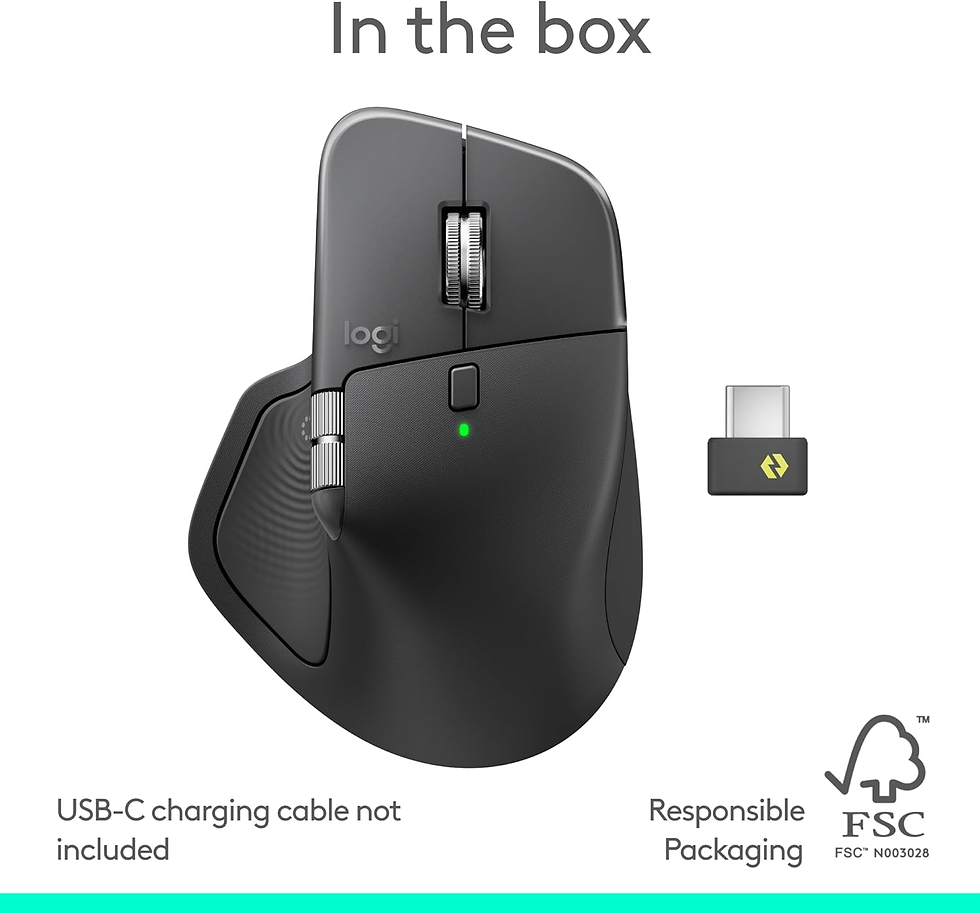
This is the 2025 model—the Logitech MX Master 4. It doesn’t just click. It responds.
What’s new:
Action Ring: A circular touch control for gestures or app shortcuts.
Haptic feedback: You can actually feel clicks and actions through subtle vibration.
Upgraded Bluetooth 5.1 + Logi Bolt receiver: Better range, faster switching, stronger security.
Same 8,000 DPI MagSpeed sensor, but smoother motion and 70-day battery life.
USB-C charging (finally standard).
Who it’s for: Creators, coders, or anyone who wants the latest and flashiest Logitech toy.
Albo’s Take: The MX Master 4 is the most refined mouse Logitech has made. The improvements are not revolutionary, but they become more noticeable during long workdays. If you want the newest model and the price is close to the 3S, buy the MX Master 4. Otherwise, the 3S remains the smarter value.
💤 MX Master 3S — The Sweet Spot

This is the one that gets it right. It’s quiet, precise, and feels premium without overdoing it.
What changed from the 3:
Clicks are 90% quieter.
Sensor doubled to 8,000 DPI.
Switched to the new Logi Bolt receiver.
Still has the iconic MagSpeed scroll wheel and sculpted ergonomic shape.
Who it’s for: Anyone working from home, late-night editors, or parents who don’t want to wake a sleeping baby while clicking through slides.
Albo’s Take: This is still the mouse sitting on my desk today. Even after trying the MX Master 4, I would happily recommend the 3S to almost anyone because it delivers nearly the same overall experience for less money. If you catch one on sale, it is still the smartest buy in the lineup.
⚙️ MX Master 3 — The Original Game Changer

When the 3 dropped, it felt revolutionary. That machined-steel scroll wheel changed how we work—smooth, fast, precise. It also fixed the awkward side buttons from older models.
Still relevant today? Absolutely—if you find it discounted. It’s still comfortable, still uses USB-C, and still works well in multi-device setups.
Just note that the clicks are louder and it uses Logitech’s older receiver technology.
Albo’s Take: I would not buy the MX Master 3 at full retail anymore. But if you find a refurbished model or a deep discount, it is still an excellent productivity mouse.
💼 MX Master 2S — The Budget Workhorse

The MX Master 2S is the OG that made the series famous. It’s still ergonomic, tracks on glass, and lasts weeks per charge. But you’ll have to live with micro-USB charging and an older 4,000 DPI sensor.
Who it’s for: Anyone upgrading from a $20 office mouse who wants something built to last.
Albo’s Take: Mine survived years of daily work before I finally retired it. Even today, I would rather use the MX Master 2S than almost any basic office mouse. If you can find one under $60, it is still a tank.
Should You Upgrade?
The right answer depends less on which mouse is technically best and more on what you already own.
MX Master 2S vs 3S vs 4: should you upgrade?
If your MX Master 2S still does everything you need, keep it. If you are ready to replace it, compare the 3S and 4 first: the 3S is my value pick when discounted, while the 4 makes more sense when their prices are close. I would not replace a working 2S just to move one generation up to the 3.
Before buying an older model, compare the actual listing condition, seller, and return terms with the newer alternatives. A lower price is only a good deal if the tradeoffs work for you.
Upgrading from the MX Master 3
Maybe. The MX Master 3 is still excellent, but the quieter clicks and improved sensor on the newer models are noticeable during long workdays.
I would upgrade if the louder clicks bother you, your mouse is showing its age, or you find a strong deal on the 3S or 4. Otherwise, there is no urgent reason to replace a perfectly good MX Master 3.
Upgrading from the MX Master 3S
Probably not. This is where I would recommend saving your money.
The MX Master 3S remains one of the best productivity mice available. Unless you specifically want the MX Master 4’s haptics, Action Ring, or newest hardware, keep using the 3S.
Comparing the two newest models? See my MX Master 4 vs 3S comparison for the full upgrade verdict.
Buying Your First MX Master?
Start with the MX Master 3S and MX Master 4.
If the 3S costs at least $25–$30 less, it is the better value. If the prices are close, spend the extra money on the MX Master 4.
I would only consider the MX Master 2S for a strict budget, and I would skip the MX Master 3 unless it is heavily discounted.
🧭 Which MX Master Should You Buy in 2026?
Let’s skip the spec sheets and talk real life:
💰 On a budget: Buy the MX Master 2S if you find one under $60. Consider the MX Master 3 only if it is heavily discounted.
💤 Work late or share an office: The MX Master 3S wins with quiet clicks.
💻 Multi-device setups: 3S or 4 — both switch seamlessly.
🚀 Love new tech: The MX Master 4 adds haptics and gestures that actually feel cool.
Frequently Asked Questions
Is the Logitech MX Master worth the money?
Yes. It is one of the few productivity accessories I use every day that genuinely makes work more comfortable and efficient. If you spend hours at a computer, the upgrade from a basic office mouse is immediately noticeable.
Is the MX Master good for gaming?
Not really. The MX Master lineup is built for productivity, comfort, and scrolling—not competitive gaming. For gaming, Logitech’s G-series is the better choice.
How long does an MX Master battery last?
Logitech rates the newer MX Master models for up to around 70 days per charge, although real-world battery life depends on usage and settings. In normal office use, charging is infrequent enough that battery life rarely becomes a concern.
Which Logitech MX Master should I buy today?
For most people, the MX Master 3S remains the best value. If the MX Master 4 is only slightly more expensive, buy the newer model.
Is the MX Master 3S still worth buying in 2026?
Absolutely. It remains quiet, precise, comfortable, and powerful enough for almost any productivity workflow.
Is the MX Master 4 worth upgrading to?
It depends on what you own. Upgrading from the 2S or 3 makes sense. Upgrading from the 3S is much harder to justify unless you specifically want the new haptics and Action Ring.
Does the MX Master work on glass?
Yes. Logitech’s Darkfield sensor works on surfaces where many standard mice struggle, including glass.
Does the MX Master work with Windows and Mac?
Yes. Every mouse in this comparison works with both Windows and macOS. Logitech Options+ lets you customize buttons, gestures, scrolling, and device switching.
You do not need the Mac-specific version unless you prefer its color or packaging. The standard version is usually the more flexible purchase because it may include broader receiver compatibility.
🏁 Wrap-Up: AlboApproved Verdict
I’ve bought hundreds of productivity gadgets over the years, but the Logitech MX Master remains one of the few I would buy again without hesitation. If you type, scroll, edit, or code for a living, it is more than an accessory—it is a tool you will use every day.
🥇 MX Master 3S – Best balance of value, silence, and precision.
🥈 MX Master 4 – The luxury pick with futuristic touches.
🥉 MX Master 2S – Best budget performer that still crushes $20 mice.
Skip the cheap junk that breaks in a year. Buy the right one once, and you should not need another mouse for years.
Check Current Prices:
Use the buttons below to check current pricing and availability.
Building a full desk setup? See my best keyboard and mouse combinations, including the setups I actually use.


Comments