

🍎 Confessions of an Apple Fan Boy: The 2025 AlboApproved Guide to the Apple Ecosystem

Updated: Mar 12

🍏 I’ll Admit It — I’m an Apple Fan Boy
I don’t hide it.
So many things in our daily lives revolve around one device: your phone. It’s the first thing you grab in the morning, and the last thing you put down before bed. It connects your family, runs your finances, stores your memories, and probably unlocks your car or front door by now.
When people ask me why I use an iPhone, my answer’s simple: iOS just makes sense.
It’s the one user interface I trust my grandparents — or my five-year-old — to use without a single instruction. Everything is where it should be. You tap, it works. You swipe, it feels natural.
Android is great for power users who love to tinker and customize. But for 95% of people, iOS is the system that just fits.
When tech fades into the background and lets you focus on life — your kids, your work, your travels — that’s when it’s AlboApproved.
📱 iPhone 17 vs iPhone 17 Pro — The Real-World Difference


If you’re not shooting RAW photos, filming cinematic content, or doing photo/video post-processing, go with the regular iPhone 17.
Here’s why: It does about 90 percent of what the Pro does — for roughly 75 percent of the price.
The main differences live in the camera stack and materials. The Pro gets the third telephoto lens, higher sustained brightness, and slightly more RAM for pro-level workflows. But the regular 17 now shares most of the same DNA — the A19 chip, ProMotion 120 Hz display, and 48-megapixel main camera that used to be exclusive to the Pro line.
If you mostly take everyday photos, scroll social media, message, and stream, the regular iPhone 17 is the sweet spot.
It’s lighter, cheaper, and still ridiculously fast. You’ll only miss the “Pro” features if you actively use your phone for creative production. For everyone else, you’re getting flagship performance at a friendlier price — AlboApproved all the way.
I personally use the iPhone 17 Pro because of an AT&T promotion (always check your carrier deals first), but if you’re buying fresh — the regular iPhone 17 is the best deal in smartphones right now.
💻 Which MacBook Should You Get?
If you’ve ever tried juggling files, photos, or messages between your iPhone and a Windows PC, you already know the pain. Screenshots stuck on one device. Photos needing manual transfers. AirDrop envy.
That’s where the MacBook comes in — it fixes all of that.
Switching from PC to Mac has never been easier, especially if you already live inside the Apple ecosystem. The setup feels almost effortless. The first time you open your MacBook and sign in with your Apple ID, it just knows — your photos, notes, messages, even Safari tabs show up instantly. No cables, no manual sync, no stress.
If you’ve ever struggled to keep your phone and computer in sync, a MacBook changes everything. iCloud handles all the background work — your photos automatically back up, files stay current, and your devices talk to each other like they’ve been best friends for years.
For most people doing office work, budgeting, browsing, or light creative projects, the MacBook Air is the one to get. You don’t need the Pro unless you’re editing 8K video, producing music, or building Pixar-level graphics.

It’s fast, light, dead quiet, and runs all day. And honestly? Once you stop emailing photos to yourself, you’ll wonder why you didn’t switch sooner.
📲 iPad 10th Gen (or iPad Pro M1): Family MVP
Every family should have an iPad — it’s the ultimate all-purpose screen.
The iPad 10th Gen is the one I recommend for families: bright screen, durable build, USB-C charging, and powerful enough for learning apps, YouTube, and streaming.

I personally use the iPad Pro M1, and it’s a rocket ship — but unless you need Apple Pencil 2 precision or heavy creative workflows, the 10th Gen iPad does everything you need for half the price.
⌚ Apple Watch Ultra 3: When Adventure Meets Health
I currently wear the Apple Watch Ultra 2, but the new Ultra 3 just dropped with real upgrades:
Up to 42 hours of battery life (or 72 hours in low-power mode)
Built-in 5G and satellite messaging for off-grid communication
Hypertension notifications and improved heart, sleep, and body-temp tracking
A brighter LTPO3 display with Always-On 1 Hz mode

If you already own the Ultra 2, you’re fine skipping this year. But if you’re new to Apple Watch or love adventure features, Ultra 3 is the best wearable in the game.
🎧 AirPods Pro 3: Small Upgrade, Big Impact
The AirPods Pro 3 take the best wireless earbuds and make them better:
Heart rate sensor built directly into the earbuds
Up to 2× stronger noise cancellation than AirPods Pro 2
8–10 hours battery life depending on mode
Refined fit with softer foam tips and adaptive audio that adjusts in real-time

They also sync faster, feel lighter, and just work. It’s a cliché, but when you open the case near your iPhone, you realize how frictionless Apple’s pairing is compared to every other brand.
🏠 Apple TV 4K, HomePod mini, AirTags & iCloud
These are the pieces that quietly hold your Apple world together.
🎬 Apple TV 4K + HomePod mini
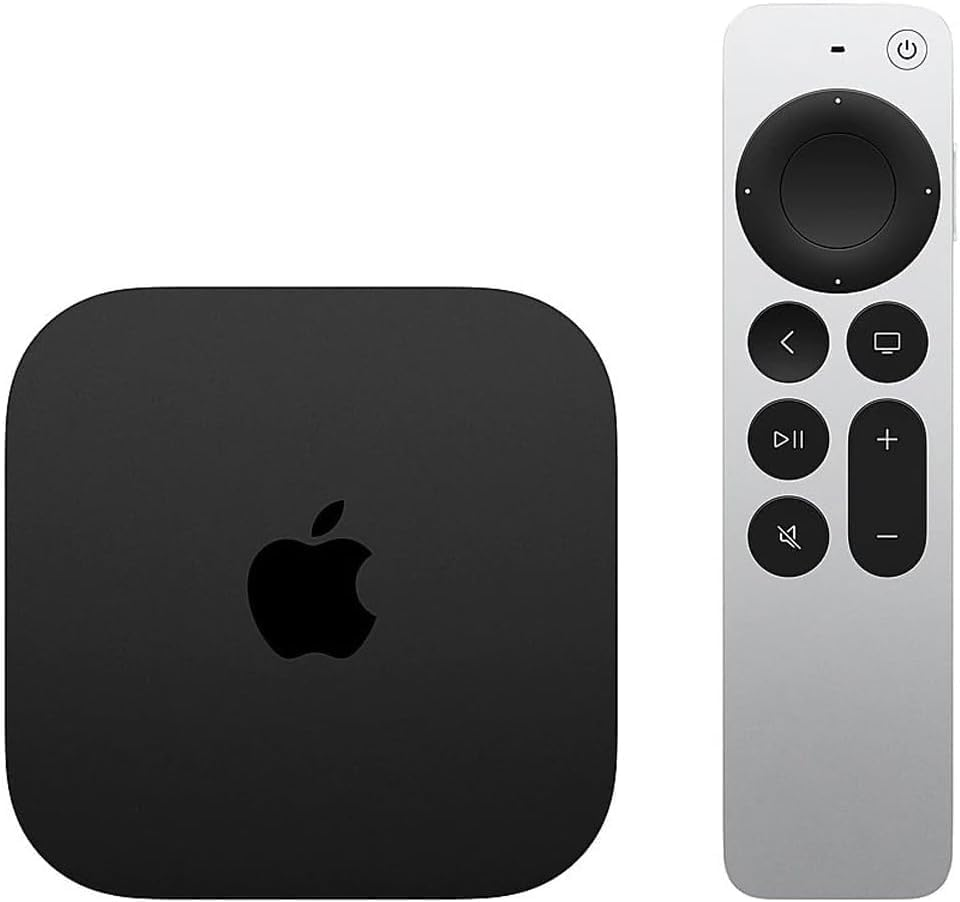
The Apple TV 4K turns any screen into part of your ecosystem — stream, AirPlay, or control your smart home from one clean interface.
Pair it with HomePod minis for crisp, room-filling stereo sound. It’s not a home-theater rig, but it’s a massive upgrade from TV speakers — and it keeps that minimalist Apple feel.
📡 AirTags — Little Lifesavers
If you have kids, pets, or gear that always goes missing, AirTags are non-negotiable. Toss one in a backpack or travel bag and you’ll always know where it is. “Find My” tracking taps into Apple’s entire global network, so it just works — quietly and reliably.

☁️ iCloud — The Invisible Engine
If Apple devices are the body, iCloud is the bloodstream. It keeps your photos, files, notes, and messages perfectly in sync — no cables or emailing yourself attachments.
Pick the tier that fits your life:
50 GB – for light users or single-device backups.
200 GB – best for families who want photo and backup space.
2 TB + (6 TB / 12 TB) – for creators and video shooters who need room to breathe.
Once iCloud is running, your MacBook, iPhone, and iPad just know what to share — it feels like magic, and it’s worth every penny.
And if you’re a Chase Sapphire Reserve cardholder, mark your calendar: starting October 26, 2025, you’ll get complimentary Apple Music and Apple TV+ perks. (Not a full Apple One bundle, but still a nice win for cardholders — see my Chase Trifecta post for how to stack those benefits.)
🪄 The Magic of the Apple Ecosystem
The reason Apple “just works” isn’t marketing — it’s engineering. Here’s what ties it all together:
Instant pairing: Bring new devices close and they configure automatically.
iCloud sync: Your photos, notes, texts, and even Safari tabs stay aligned across devices.
Continuity & Handoff: Start typing an email on your iPhone, finish it on your Mac.
Universal Clipboard & AirDrop: Copy on one device, paste on another. Send photos in seconds.
Sidecar: Use your iPad as a second display for your Mac.
Find My + AirTags: The best tracking network on the planet — period.
When everything talks to everything, it saves you minutes that add up to hours — and a lot of daily frustration.
🧠 Frequently Asked Questions
Is the iPhone 17 non-Pro enough for most people?
Yes. If you aren’t shooting RAW photos or doing heavy video work, the iPhone 17 covers about 90% of the Pro experience at a lower price. It now includes a 120 Hz display and excellent main cameras, making it the best value for everyday users.
Which MacBook should I buy for office work?
Get the MacBook Air. The M-series Air models (M1, M2, M3/M4) are quiet, fast, and perfect for email, documents, spreadsheets, Zoom, and light photo edits — and they sync seamlessly with your iPhone through iCloud.
What iCloud+ storage tier should I choose?
Light users can start with 50 GB. Most families are happy at 200 GB for photos and backups. Creators or anyone shooting lots of 4K video should consider 2 TB or higher (6 TB / 12 TB options exist).
Can HomePod mini act as my TV speakers?
Yes. Pair two HomePod minis for room-filling stereo with Apple TV 4K. It’s a clean, simple upgrade over built-in TV speakers and integrates neatly with the Apple ecosystem.
Do Chase Sapphire Reserve perks include Apple One?
Not Apple One. Cardholders get complimentary Apple Music and Apple TV+ starting October 26 2025. See the Chase Trifecta post for strategies to stack value across your Apple and travel spend.
💬 Wrap-Up: Why Apple Is Still AlboApproved
I may sound like a fan boy, but after years of testing gear, I’ve realized something: the Apple ecosystem saves time and headaches.
The iPhone 17 is the best non-Pro ever.
The MacBook Air is the perfect workhorse.
The Watch Ultra 3 adds smart health features.
The AirPods Pro 3 keep you sane during chaos.
Everything syncs, shares, and updates like magic.
If you’re building out your own Apple stack, start with the essentials that make your day smoother — not the ones that just look cool on a desk.
👉 Explore AlboApproved Essentials

Because the trick is simple: buy the tech you’ll actually enjoy using — cheap junk won’t last.


Comments